【 TiDB 使用环境】测试
【 TiDB 版本】7.4.0
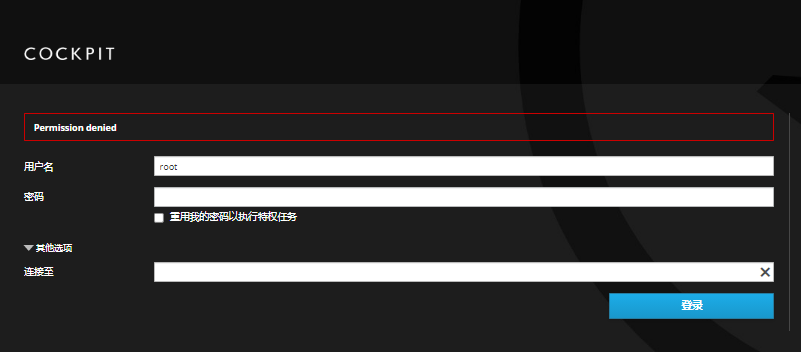
【遇到的问题:tidb Prometheus登录默认用户名和密码是啥?
admin admin
prometheus有密码吗?
提示用户名或密码错误
1 个赞
7.4.0 prometheus是开了basic 认证了吗?
不知道在哪里开,我使用操作系统的用户和密码可以正常登录了。
1 个赞
admin admin
1 个赞
如果没有修改过,那么grafana 和prometheus 默认账号密码是:
admin admin
默认账号密码是:
admin admin
Prometheus也需要登录了?
我装的最新版本的7.4.0,在线安装的,提示输入密码。
1 个赞
看我最后的评论。
1 个赞
 为什么会是操作系统的用户名密码?是不是安装的时候改密码了?
1 个赞
在线安装的,没有改密码的环节啊。
1 个赞
是使用什么方式安装的呢?不是tiup么?没遇到过这种情况,纯好奇
1 个赞
是tiup安装的,我自己指定了目录。
[root@hdty-dmdca /]# export TIUP_HOME=/data
[root@hdty-dmdca /]# echo $TIUP_HOME
/data
[root@hdty-dmdca /]# curl --proto ‘=https’ --tlsv1.2 -sSf https://tiup-mirrors.pingcap.com/install.sh | sh
% Total % Received % Xferd Average Speed Time Time Time Current
Dload Upload Total Spent Left Speed
100 7385k 100 7385k 0 0 7363k 0 0:00:01 0:00:01 --:–:-- 7363k
WARN: adding root certificate via internet: https://tiup-mirrors.pingcap.com/root.json
You can revoke this by remove /data/bin/7b8e153f2e2d0928.root.json
Successfully set mirror to https://tiup-mirrors.pingcap.com
Detected shell: bash
Shell profile: /root/.bash_profile
/root/.bash_profile has been modified to add tiup to PATH
open a new terminal or source /root/.bash_profile to use it
Installed path: /data/bin/tiup
Have a try: tiup playground
[root@hdty-dmdca /]# source .bash_profile
-bash: .bash_profile: 没有那个文件或目录
[root@hdty-dmdca /]# source /root/.bash_profile
1 个赞
admin admin
prometheus没密码,直接输入地址就可以访问
可是你截图的页面就没见过 
1 个赞